URL Tab
Exposer can fetch the additional URL fields from your articles. You can set up more than one field as Link or Badge
but only the latest option will be used. The module handels just not set, _parent or _blank configuration for links.
Please Note:
If you activate here URL A and URL C as Link and both fields contains a Link only the Link of C will be used.
URL A/B/C
You can define the following Options for URL A/B/C:
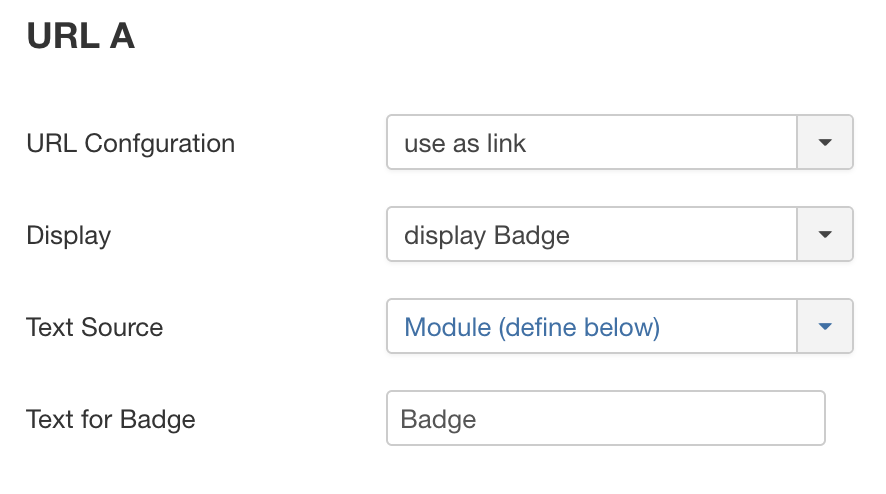
URL Confguration
Define how this URL should be handled. The following options are available:
- ignore
- Use as Link
- Badge Info Only*
The Badge Info Only option will only display the URL Label as the badge and does not use the link.
Display
Define how this URL should be displayed. The following options are available:
- Display Badge
- No Optical Marker
Text Source
Define where the text for the URL should be taken from. The following options are available:
- URL Label Field
- Module
Text for Badge
If you choose "Module" as Text Source you can define the text for the badge here.
Use Fallback Label
If the URLx label field in the article settings is empty, the fallback text will be used instead.
Fallback Label
The Text that should be displayed if the URLx label field is empty in article settings.