How to use Dynamic Category
Exposer can also be used to show automatically related articles by the same category as the current article.
Background
Let's say you have a bunch of articles in a category and you want to show the latest five related articles of this the same category as the current article. This is where the Dynamic Category comes into play.
Introduction (Scenario)
We have a News Portal each Joomla article is a news article. If we are on a news article page we want to show the latest five related news articles of the same category as the current article.
Module Settings
There are a few things to set this up. First, we need to create a new module of type Exposer. Then we need to set the following settings:
- Exposer Mode: Joomla! Articles (default)
- Articles Mode: Dynamic Category
- Forced Dynamic Mode: Yes
- Max Items: 5
- ...
- Sorting: Creation Date
- Sorting Direction: desc (newest first)
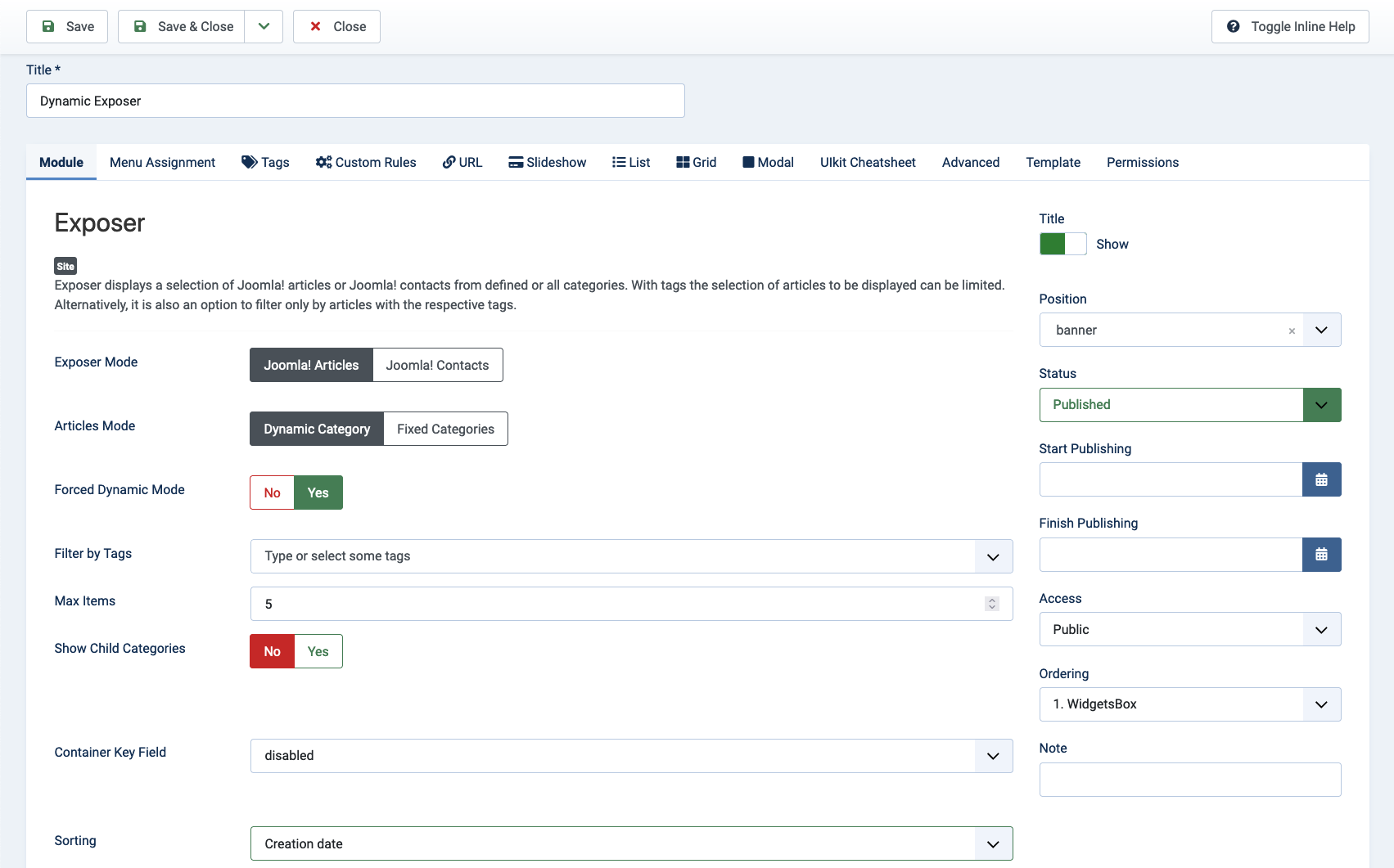
Please be aware that:
The module does not get rendered when there are no items matching the current filter.
Publishing the Module
There are multiple ways to publish the module. You can use the module assignment in the module settings, or you can set the module assignment to "On all Pages". Both ways you can either use a custom module position (or load module id) in the article to show the module on the article page, or you can use one of your templates module positions.
Using Module ID in the Article
Insert the following code in the article where you want to show the module:
{loadmoduleid 123}
Where 123 is the module id of the desired Exposer module instance.
Using a Custom Module Position
Insert the following code in the article where you want to show the module:
{loadposition my-module-position}
Where my-module-position is the name of the custom module position you have entered the module settings.