Media Fallback
With version 1.3 Exposer has changed a lot when it comes to rendering Main Media content for grid or list elements. In the backend there are new options & possibilities regarding the Main Media field.
Basics
Starting with version 1.3 Exposer supports not only the rendering of article images (article intro image or article image) or custom fields with URL to an image but also the custom field plugin mode. This allows to render complete customfields at the Media position. Just create a customfield of your choice, add the desired content to the customfield of the article and enter the name of the field in the Exposer as "Image Field" (in future versions "Media Field").
But that is not all, in version 1.3 the Media Field 1.0 was introduced in Exposer. This supports even more complex fallback structures. So for example you can put multiple custom field names comma separated in the field. These fields are processed one after the other. If no content is found in the corresponding field of the respective article, the next field is checked. If all fields of an article do not contain any information, you can use one of the two standard picture fields of the article via the field "Custom Fallback". Of course this function is also available for the contact mode, here you can use the "contact image".
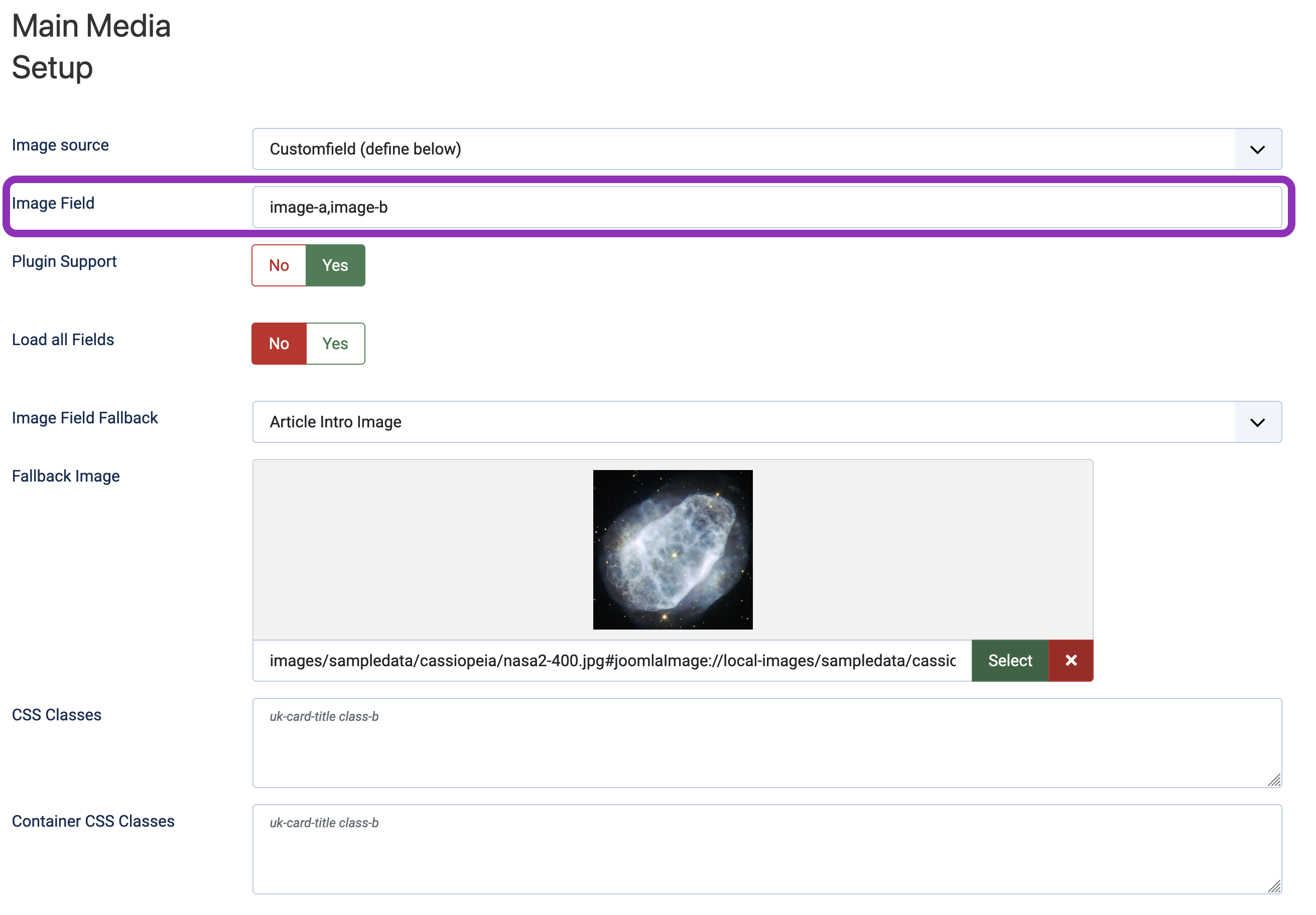
If all these fields are empty, the field "Fallback Image" is used. Here you can define a general image as fallback for this Exposer instance. Note: You can select the option "Do not use an image" in the custom fallback to refer directly to the general fallback image of the module instance.