Installation of Extensions
Download an Extension
To install an extension you have Log-In on nx-designs.ch you will then find your Downloads within your Downloads Area on our website. Download the Extension by clicking ont its name and install the extension via the Joomla Extension Manager.
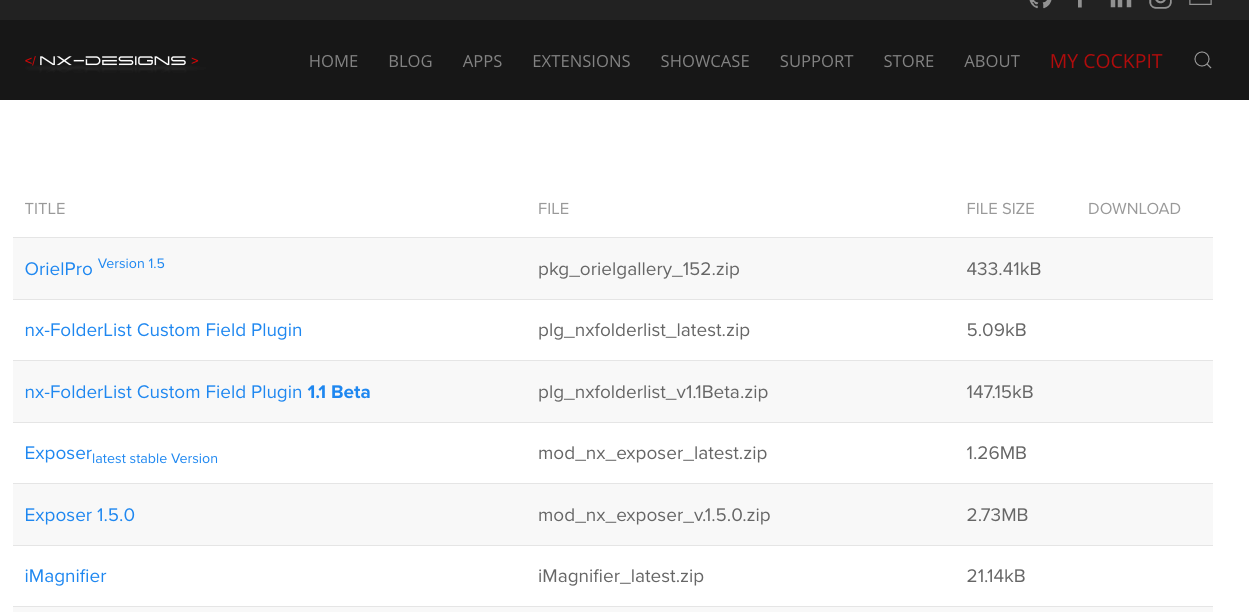
You need to have an active Subscription for a product to been able to Download an Extension.
Install an Extension
Extension Manager in Joomla 4.x & 5.x
This Section describes the installation of an extension in Joomla 4.x / 5.x. If you are using Joomla 3.x please follow the instructions in the next section.
For our extensions and most users, the procedure will be:
- Download the extension to your local machine as a .zip file package. (See above)
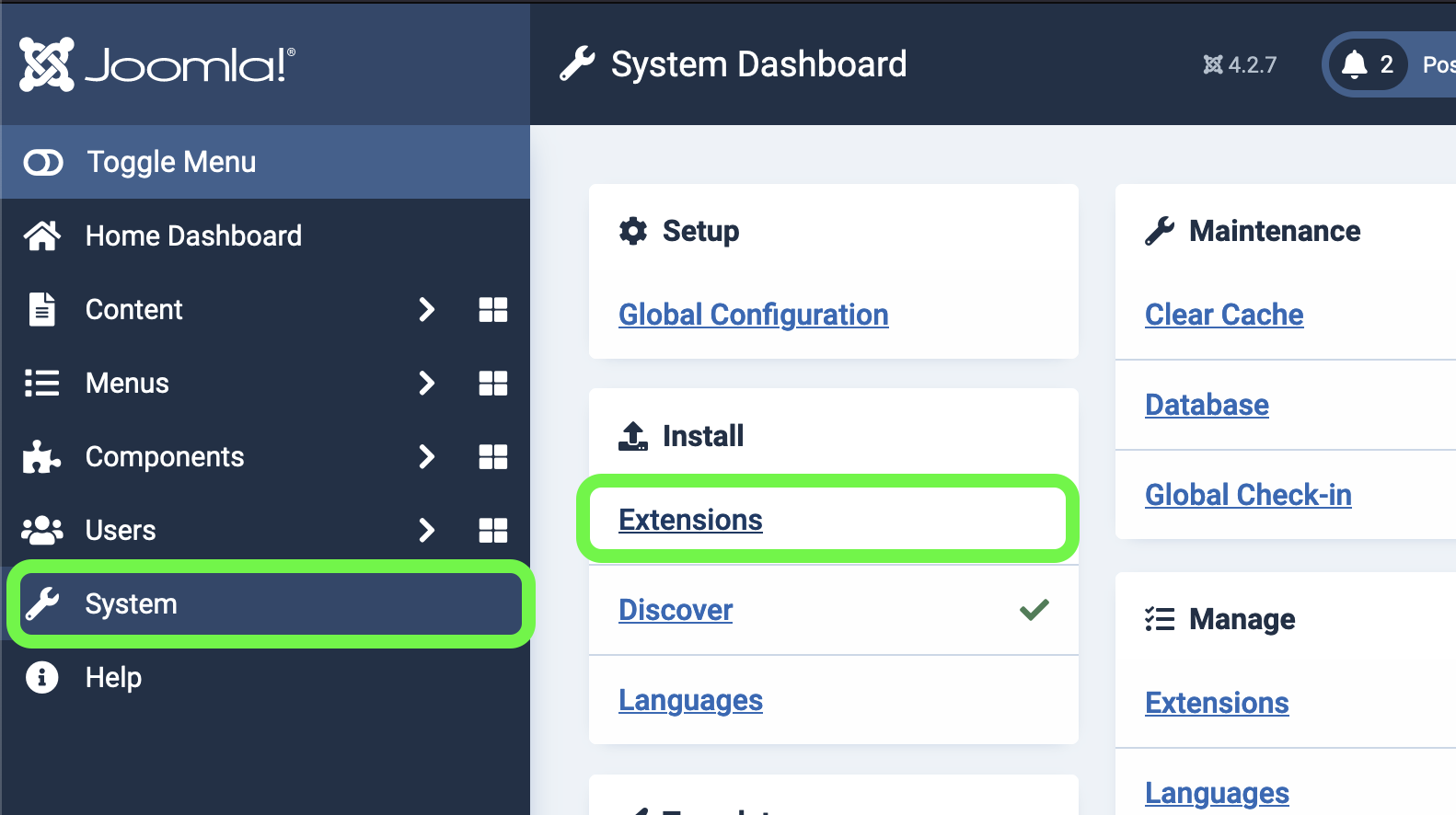
- From the Backend of your Joomla site (Administrator) select System → Install Widget → Extensions.
- Click the Browse button and select the extension package on your local machine.
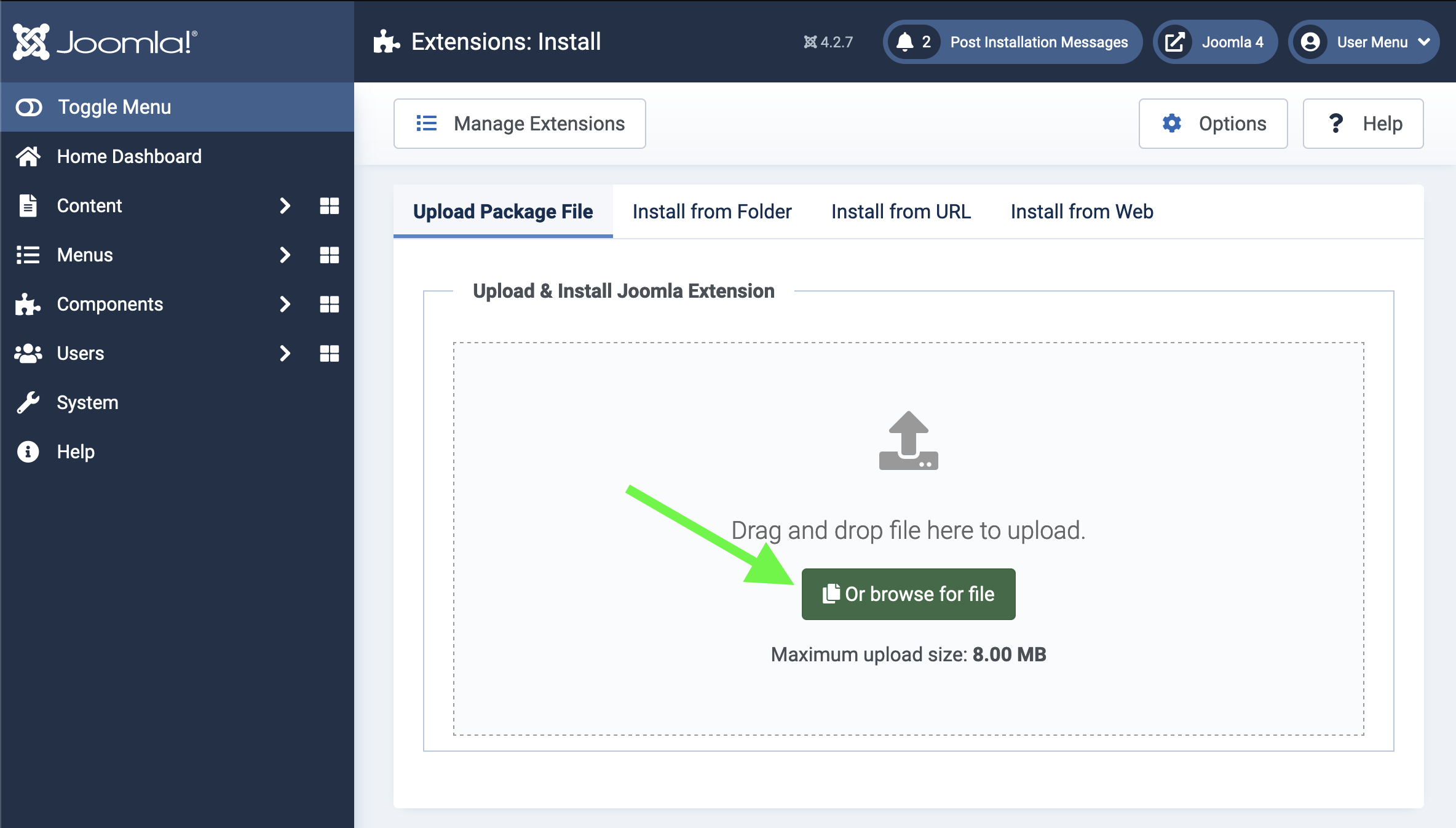
- Click the Upload File & Install button.
- Some extensions may provide further instructions on installation.
- Note that modules and plugins must be enabled before they will work.
Extension Manager in Joomla 3.x
the steps are not much different for Joomla 3.x:
- Download the extension to your local machine as a .zip file package.
- From the Backend of your Joomla site (Administrator) select Extensions → Install/Uninstall.
- Click the Browse button and select the extension package on your local machine.
- Click the Upload File & Install button.
- Some extensions may provide further instructions on installation.
- Note that modules and plugins must be enabled before they will work.
(Taken from the Official Joomla Documentation)
Read More: Official Documentation